Private by design. Useful every day.

ProShield.
Your private vault.

Forgotten a password?

3D illustrated person looking confused while checking a phone and trying to remember important information
?
What’s my Gmail password?
✓ MASVS L1/L2 Self-Assessed✓ Full-disk SQLCipher✓ Google Drive backup
Scroll to explore ↓
ProShield Personal

Your essentials,
in your pocket.

Keep passwords, documents, IDs, cards, and private notes together in your personal vault, ready when you need them.

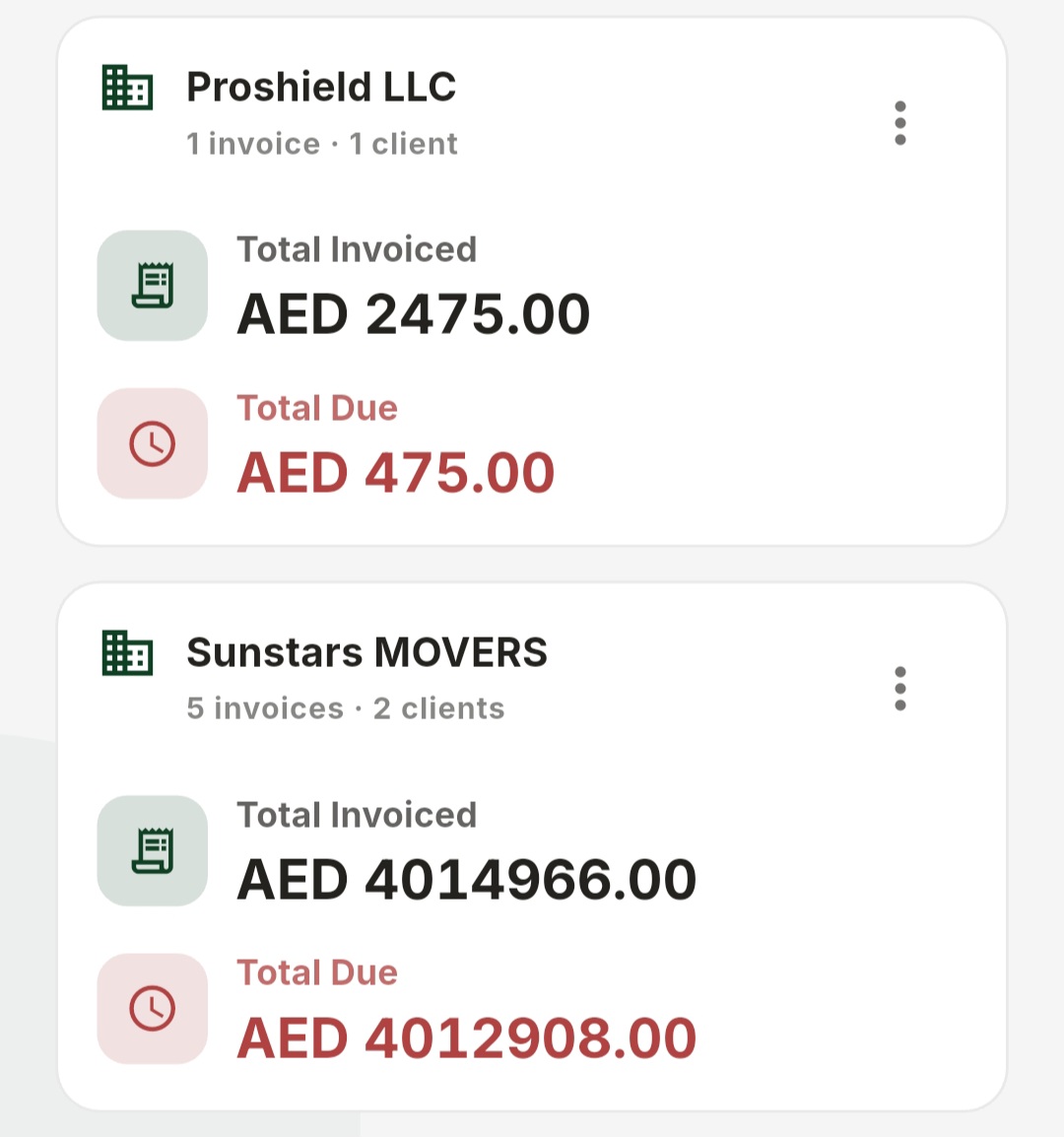
ProShield Business workspace overview with invoice totals and amounts due
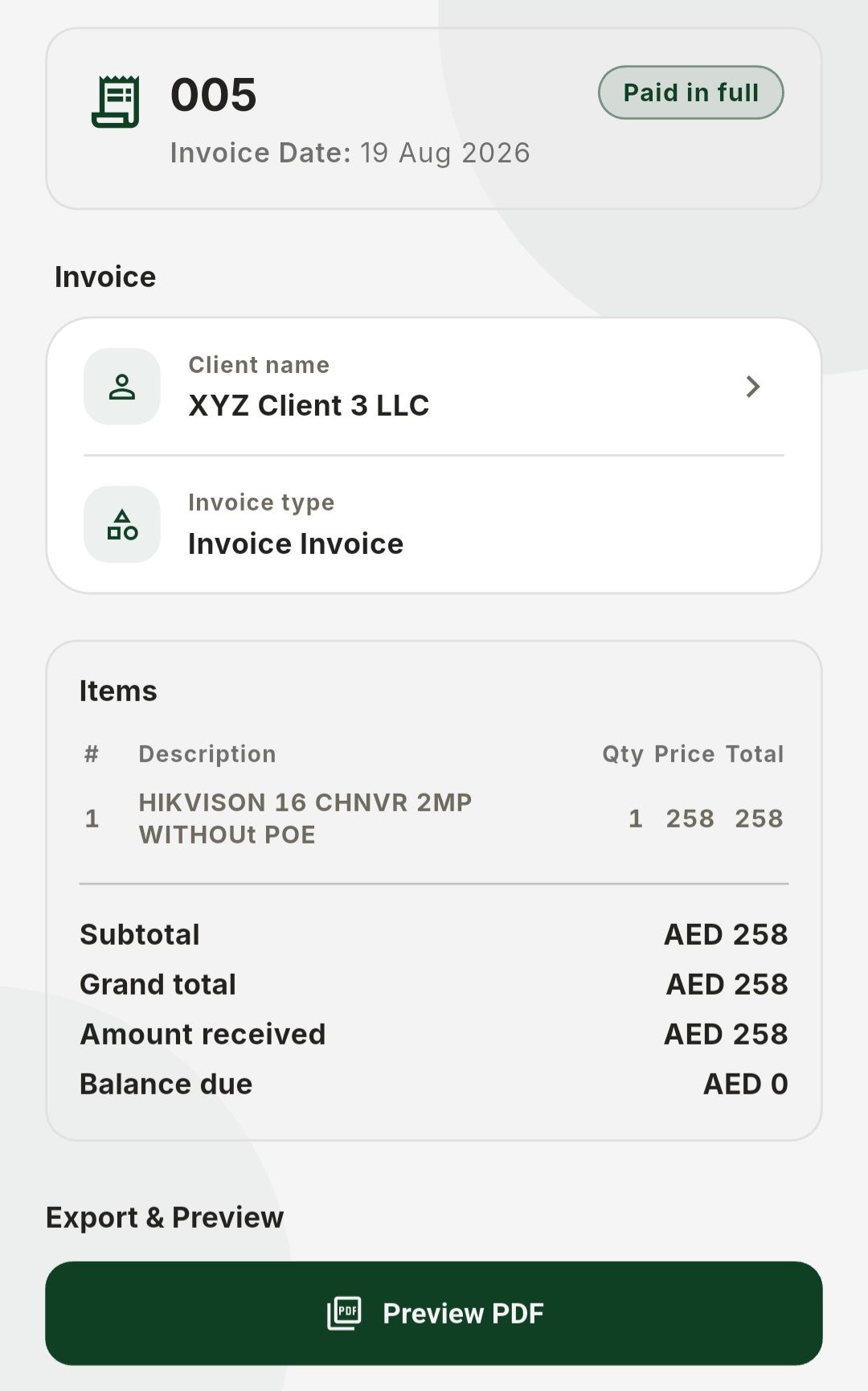
ProShield paid invoice details with client, line item totals, and PDF preview action
ProShield Business

Invoices, clients,
and teams—focused

Use a separate business account and workspace for the records your team needs, without mixing them into your personal vault.

  • ✓Invoice managementCreate, review, export, and follow payment status.
  • ✓Members & permissionsInvite members and grant only the scopes they need.
  • ✓Separate business accountRoute shared work to a dedicated backup destination.
Every problem has a place

From “where is it?”
to “here it is.”

See how ProShield keeps important records organized and easy to find.

01Forgotten login →

Passwords & credentials

Keep the details for important accounts organized and ready when you need to sign in.

02Missing passport scan →

Documents & images

Keep identity, travel, household, and work files together instead of scattered across folders.

03Missed expiry →

Smart reminders

Get a timely ProShield notification before an important trip, expiry, or payment.

05Sensitive details in a chat →

Share credentials securely

Send credentials as an encrypted ProShield file instead of exposing them as plain text.

06Needed in a hurry →

Quick document shortcuts

Create shortcuts for important documents and open them quickly when you need them.

07No clear backup location →

Encrypted Drive backup

Back up your locked vault file through the Google Drive account you connect.

08Personal and work mixed up →

Business & invoicing

Manage clients, invoices, payments, members, and permissions in a separate workspace.

09Important note misplaced →

Secure notes

Keep private notes, custom records, and sensitive information inside your vault.

Scroll to explore
Personal and work shouldn’t be mixed

Two spaces.
One clear boundary.

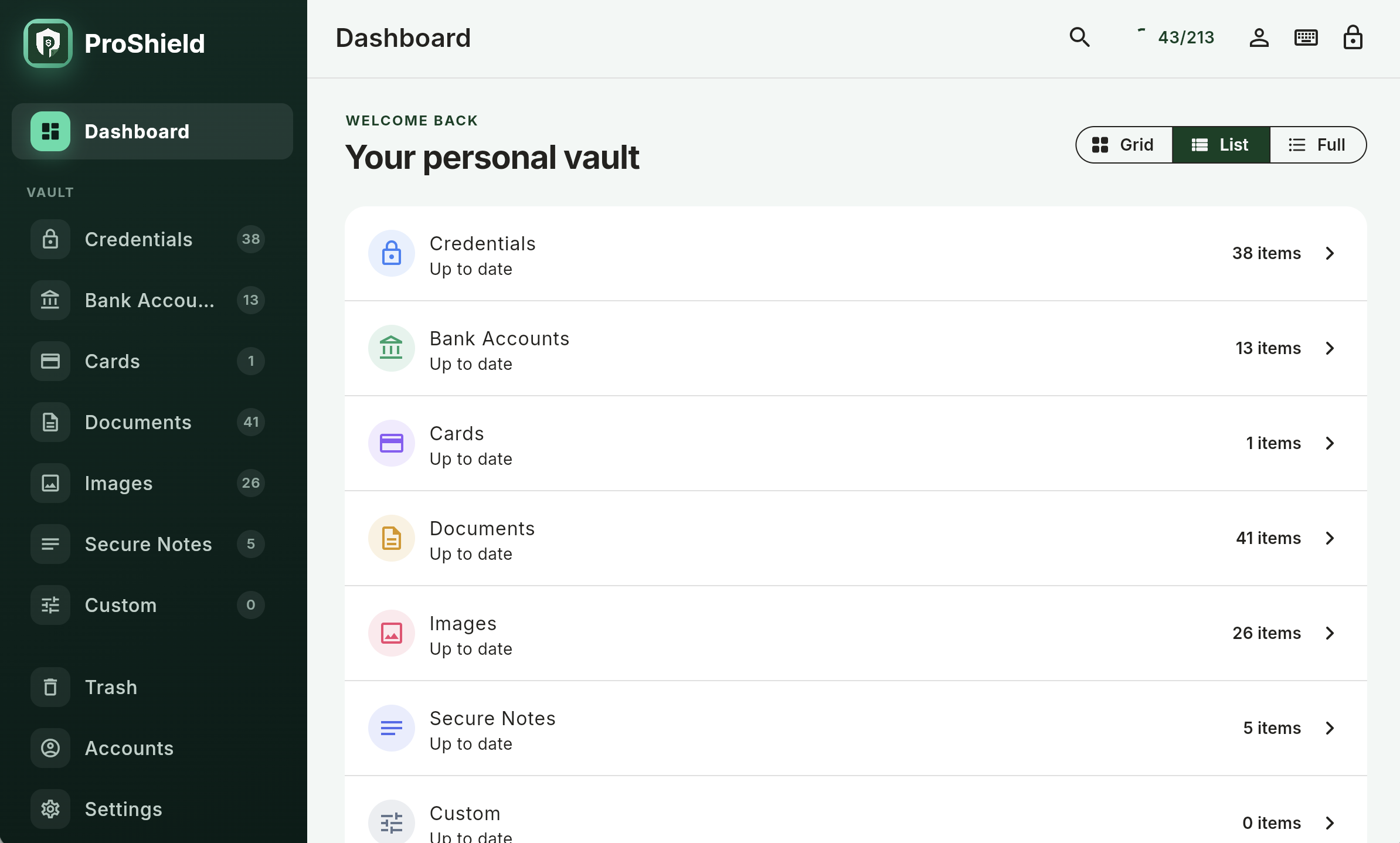
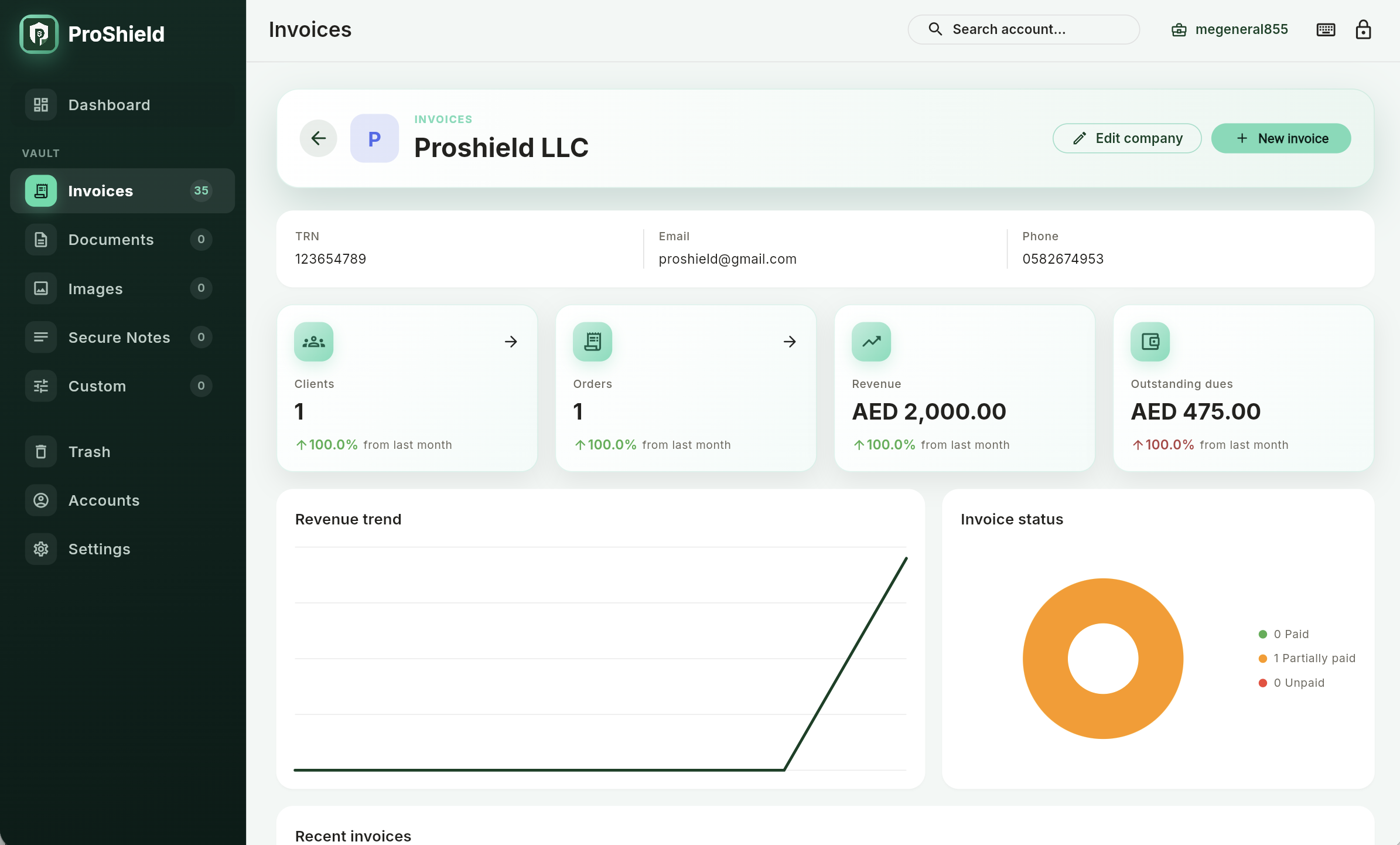
Keep private everyday records in your Personal vault and move invoices, clients, and team collaboration into a dedicated Business workspace.

app.proshieldvault.com
ProShield Personal web dashboard showing vault categories and item countsProShield Business dashboard showing company details, invoice metrics, revenue trend, and invoice status
Convenient still needs careful protection

A clear place, built on clear protection.

ProShield combines organized access with encryption and an internal security self-assessment.

  1. 01
    AI-Assisted Security Baseline

    Our team assessed 72 applicable OWASP MASVS control decisions with manual review and AI-assisted analysis. No independent audit has been published.

  2. 02
    Full-disk SQLCipher encryption

    Your entire local database is protected by AES-256-CBC disk-layer encryption, in addition to app-layer AES-256-GCM.

  3. 03
    Google Drive backup model

    ProShield uses the Drive account you connect; personal and business backup remain distinct and client-side encrypted.

  4. 04
    Recovery by design

    Setup includes recovery material for restoring access when your normal credential is unavailable.

Read the evidence and limitations

See the public Security Center for the MASVS self-assessment summary, AI-assisted review methodology, and security model.

Find it wherever you work

Save it on mobile.
Access it on web too.

Save and access important items on Android or the web.

Available

Android

Your everyday vault, reminders, capture tools, and account access on mobile.

View on Google Play ↗
Available

Web dashboard

A spacious desktop experience for vault organization and business workflows.

Open web dashboard ↗
Planned

iPhone & iPad

iOS availability is planned. Official timing will be published here when confirmed.

View iOS status
Web compatibilityChromeEdgeSafariFirefoxUse a current browser version for the best experience.
Questions, answered

Start with clarity.

Understand the ProShield experience before opening your vault.

Do I need an account?+

You create and unlock your local ProShield vault first. A Google account is used when you choose to connect Drive backup or a business workspace.

What can I keep in ProShield?+

Credentials, accounts, cards, documents, images, secure notes, custom records, and business invoices.

Can I use ProShield on desktop?+

Yes. Open the secure dashboard at app.proshieldvault.com and continue alongside mobile.

How are Personal and Business separated?+

Distinct account contexts and backup destinations keep private records apart from shared business work.

Where is my backup stored?+

ProShield connects to your Google Drive, with separate account support for personal and business backup.

What happens if I forget my vault password?+

Recovery options are established during setup. Keep your recovery material in a safe place—it is designed for restoring access when normal authentication is unavailable.

Can a business workspace have multiple members?+

Yes. Administrators can invite members, approve access, and control the business scopes available to them.

How much does ProShield cost?+

Current availability and pricing are shown through the official app listing. The website will always direct you to the latest published information.

Bring passwords, documents, and important records into one private vault.

Stop searching for
what matters.

Start knowing exactly where it is.